Desktop AI tutor
Clicky for Windows

Hold a shortcut and ask about anything on screen. Clicky talks you through it and points to where to look or click.
- Windows app
- 250+ installs
- OpenAI-backed PyCon SG · US$3K+ in prizes
- 1st Runner-Up
I built a Windows version of Farza's Clicky with per-app memory and editable notes.
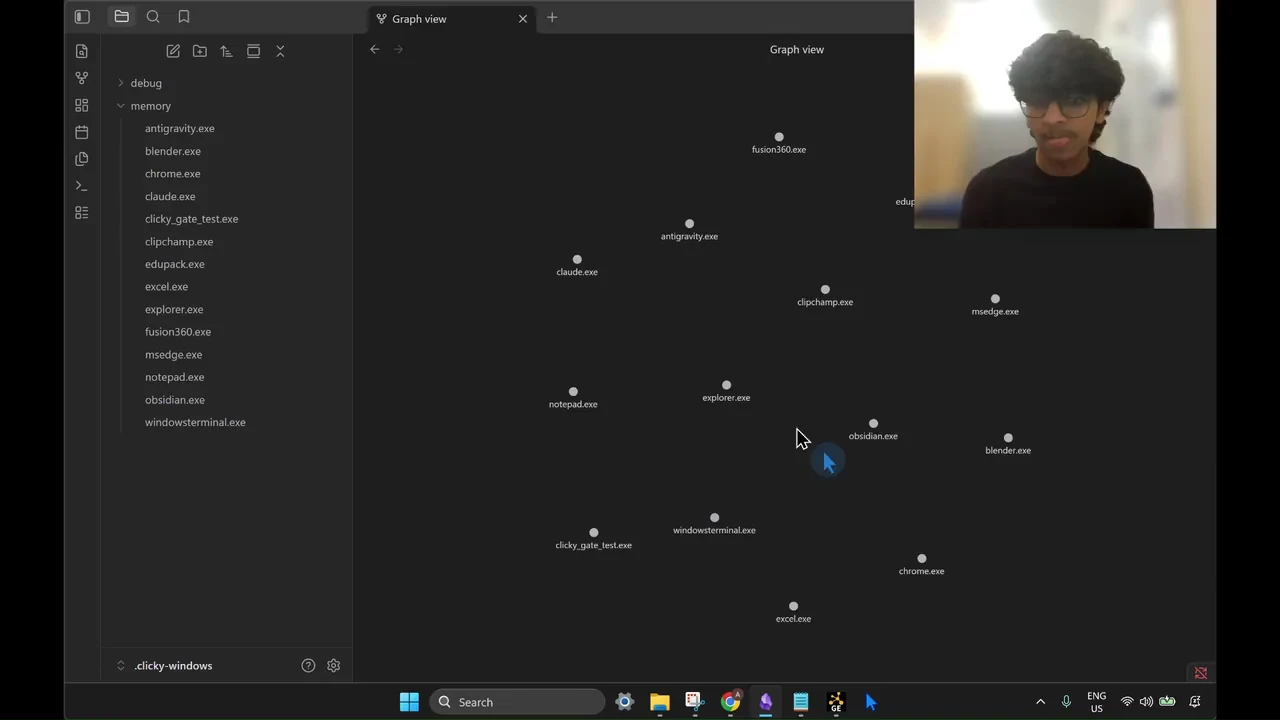
Asking Clicky about the app on screen, following its on-screen pointers and using its saved memory.
- Demo: Asking Clicky about the app on screen, following its on-screen pointers and using its saved memory.
- Architecture: Screen capture and transcription overlap, and Clicky starts speaking before the full answer is ready.
- PyCon results: 1st Runner-Up at PyCon Singapore 2026. Prizes included US$1,650 in OpenAI credits, US$250 in Apify credits and six months of ChatGPT Pro.
- Install guide: How to install Clicky on Windows, add your API keys and ask about the app on your screen.
Making Clicky respond faster
I built the Windows version of Farza Majeed's Clicky, adding per-app memory and a folder for notes about software the model doesn't know.
Clicky captures the screen and loads recent memory alongside transcription, then starts speaking before the full answer is finished. In the benchmark, playback started about 190ms after a sentence was ready. The latency article explains how the parallel work and streaming speech fit together.
Why the memory is plain text
Each Windows app gets a plain Markdown file that the user can open or edit. SQLite tracks the apps and their usage. I skipped a vector database because inspectable memory mattered more than semantic search at this scale.
Checking where the cursor lands
I tested seven "where is X?" questions on screenshots from Granta EduPack, Fusion 360 and GitHub. Gemini 3.1 Pro missed every target. Its answers used a 0 to 1000 coordinate grid, while Clicky expected screen pixels.
Converting those same recorded coordinates into screenshot pixels put six of the seven inside the target buttons. I added that conversion to Clicky's Gemini integration. The updated default models each hit all seven targets in the same test.
Drawing on the screen
With Draw on screen turned on in Settings, Clicky can circle mistakes and add short labels, arrows or underlines.
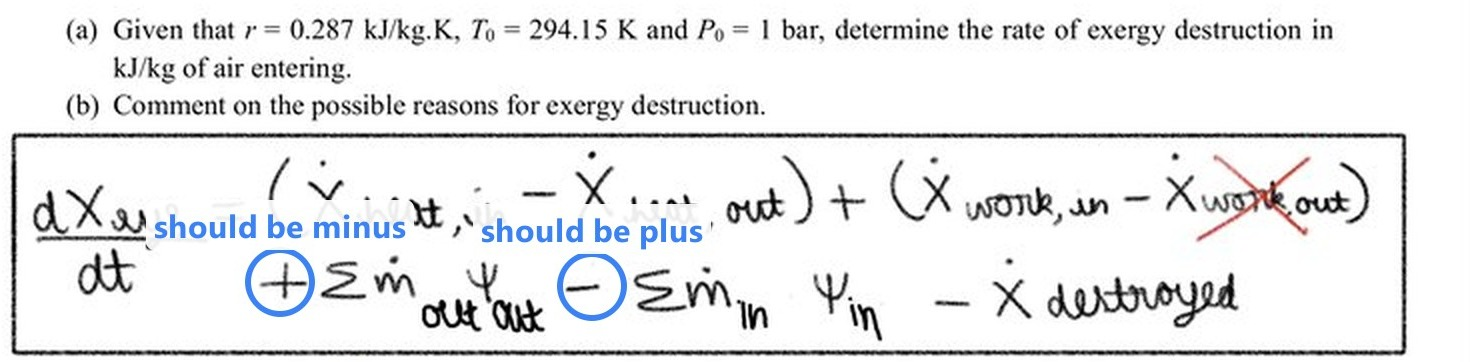
Testing Windows integrations
Clicky has to coordinate global shortcuts, audio devices and an overlay on top of other apps. Tests cover shortcuts, audio devices, overlay positioning, speech sessions and provider setup.