Clicky could explain whatever was on my screen. It just made me sit in silence first.
Starting speech before the answer is finished
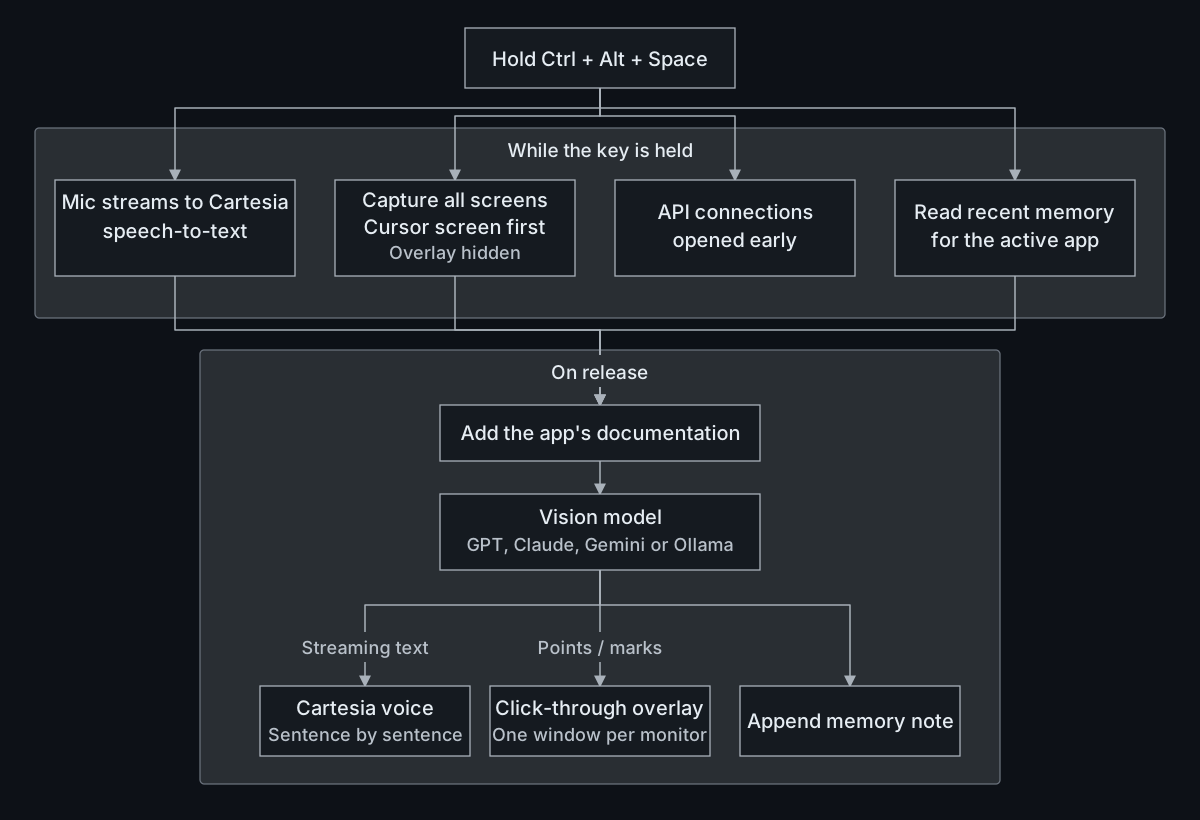
Transcription finished before screen capture, and the whole answer was generated before speech began. I moved screen capture and memory lookup into the time spent holding the shortcut, then sent each completed sentence to speech while the model kept writing.
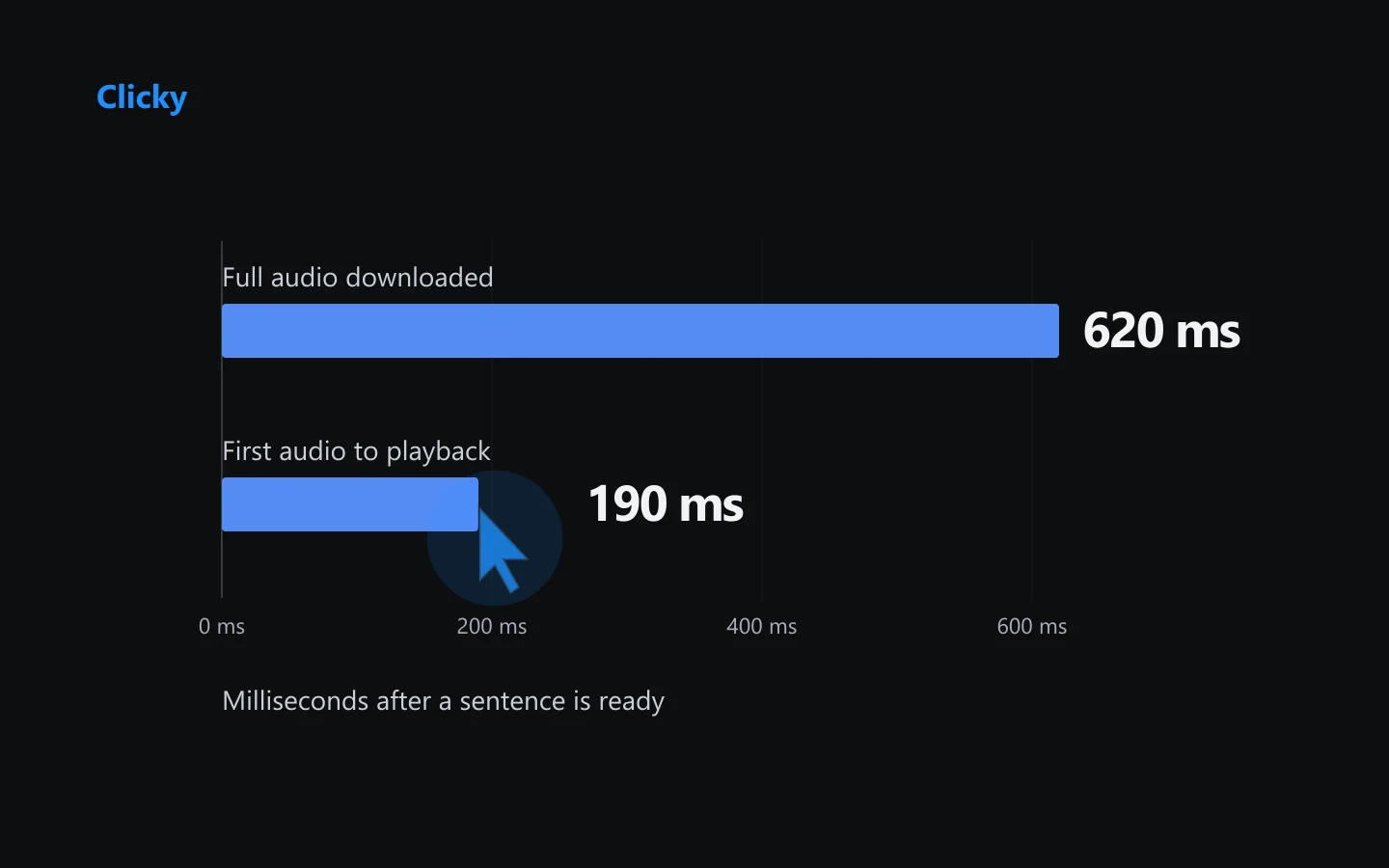
Audio now plays as it arrives, through an output stream kept ready between sentences. In the benchmark, playback started about 190ms after a sentence was ready.
Memory the user can edit
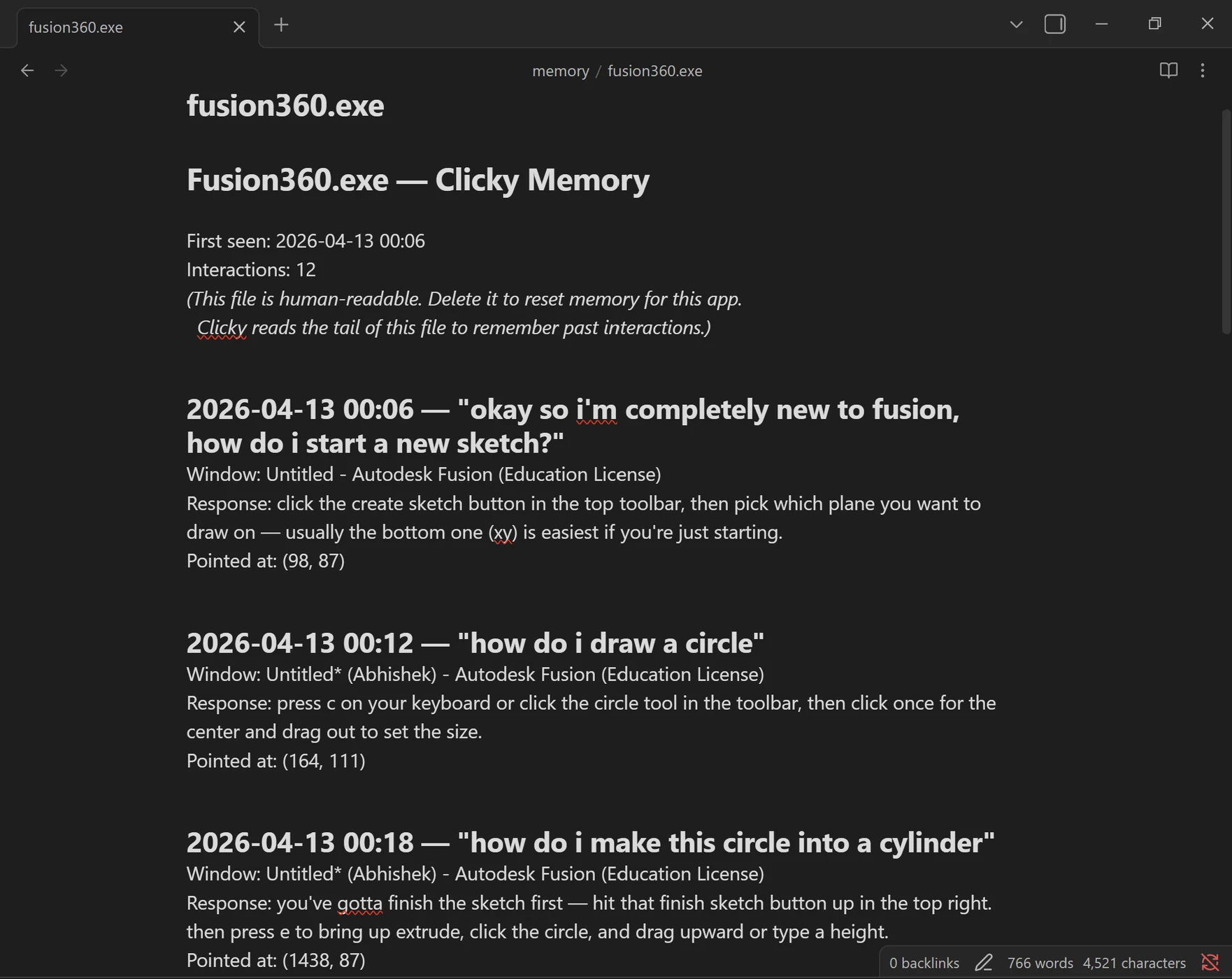
Each app has a plain Markdown memory file, following Karpathy's LLM-Wiki pattern. I wanted to be able to read and correct what Clicky remembered. SQLite tracks the apps and their usage, while the notes stay in files I can open in Obsidian.
Clicky already knows which app is active, so it can load that app's recent notes while I speak, without a vector search. The knowledge base is separate: documentation I add for software the model doesn't know. That gets added before the question goes to the model.
Avoiding pauses between sentences
Starting speech early created a new problem. If Clicky finished playing one sentence before the next sentence's audio was ready, there would be a pause.
Clicky prepares the next sentence's audio while the current one plays. Audio streams straight to playback as it arrives, and a queue keeps the sentences in order. Pressing the shortcut again stops playback and clears anything waiting to be spoken.
Drawing over the app
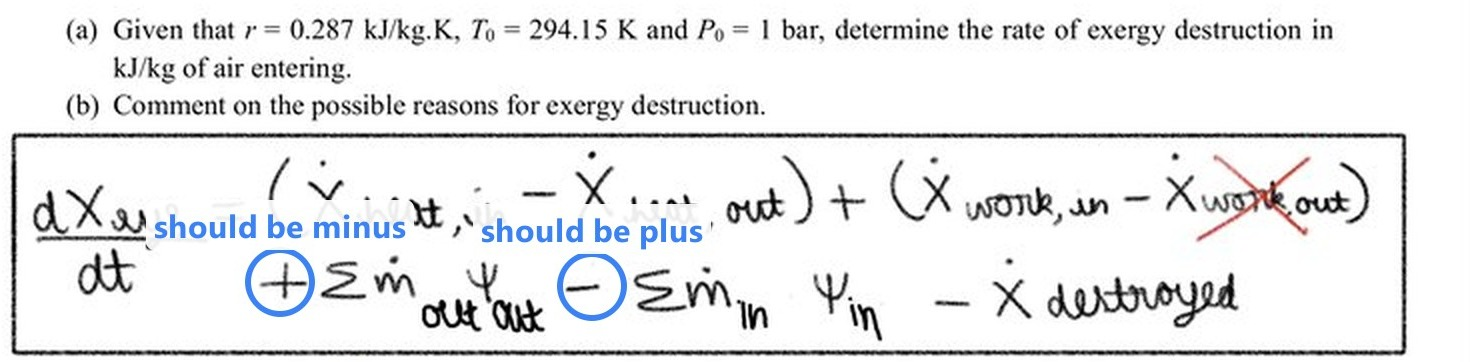
Some answers need a mark on the screen as well as speech. On the worksheet below, I asked, "What is the mistake in this question?" Clicky circled the two swapped signs and labelled the corrections.
The drawings sit in a click-through overlay, so I can still use the app underneath. Each monitor has its own overlay window to keep the marks aligned when screens use different scaling.