Student utility
SUTD Deadline Centre

eDimension and Gradescope deadlines in one place, with course filters and calendar export.
- using SUTD Deadline Centre
- 80+ users
- no backend or student-data collection
- Local only
I shipped the first version in a week. It reads the pages students already use and keeps their course data in the browser, with no backend or extra account.
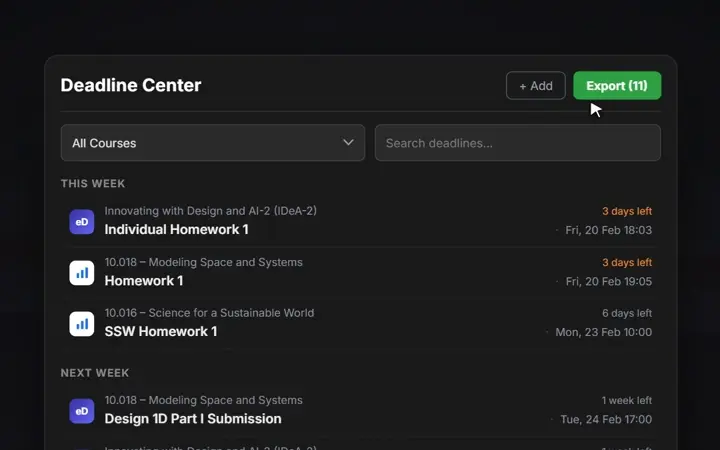
A short walkthrough of collecting, sorting and exporting deadlines from both LMS platforms.
- Demo: A short walkthrough of collecting, sorting and exporting deadlines from both LMS platforms.
- Two LMS sources: Deadlines from both course sites, sorted by due date.
- Calendar export: One export moves the current course deadlines into a personal calendar.
- Course filters: Course and status filters keep the weekly view compact.
How it works
The extension combines assignments from eDimension and Gradescope into one list, with course filters, status controls and calendar export.
No account or server is needed. The extension only asks Chrome for local storage and access to eDimension and Gradescope, so course data stays on the student's device.
What changed
The first version only had to work on my own timetable. Once other students installed it, I had to wait for eDimension's calendar to finish loading, handle different course names, merge the same assignment from two sources and stop old deadlines from appearing as new. Those fixes became the later Chrome Web Store releases.